
|

|
MITS Information
Adding RhinoBill as an agent to your MITS account, allows RhinoBill to access information for you without needing your MITS login details. Please follow the steps below to complete adding RhinoBill as your MITS agent.
- Login to your personal MITS account. www.ohmits.com
- After login, click on ‘Secure Provider Portal’
-
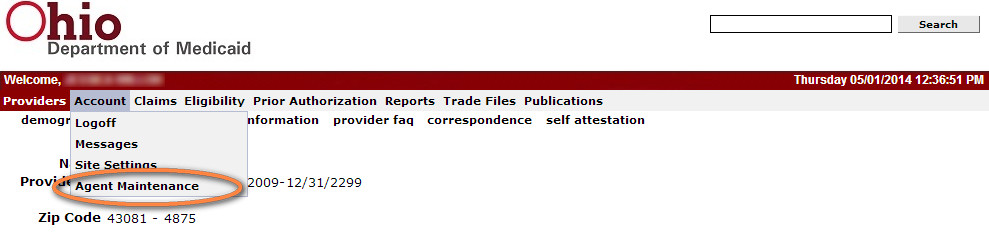
Under Account, click on ‘Agent Maintenance’
-
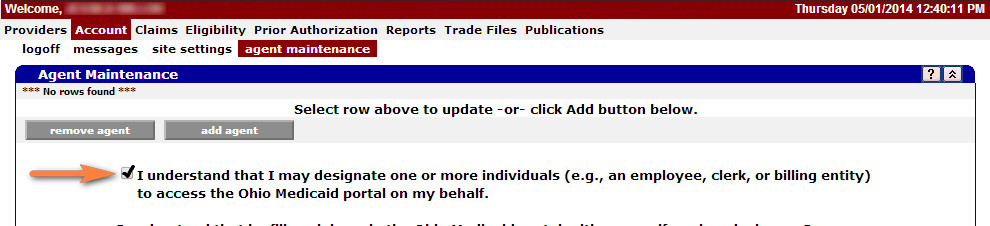
Check the box to agree to the terms. After checking the box, the page will load automatically.
-
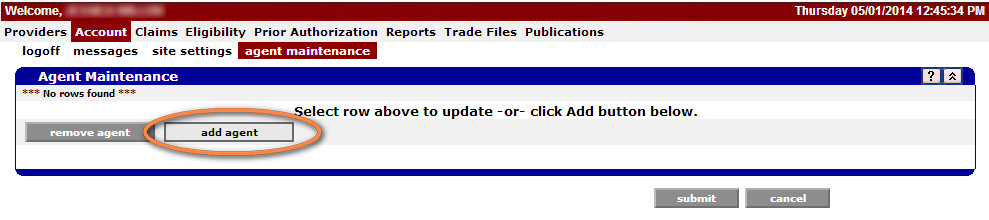
Click on ‘Add Agent’. After clicking add agent, the next page will load automatically.
-
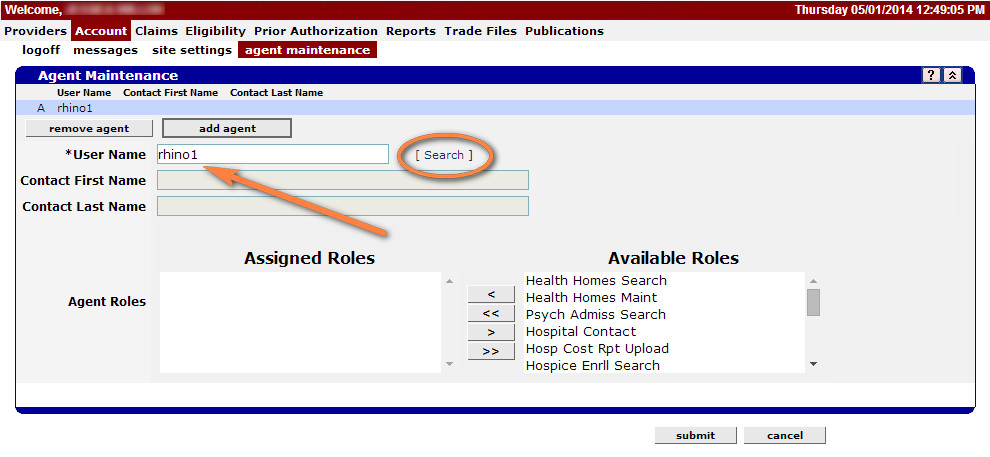
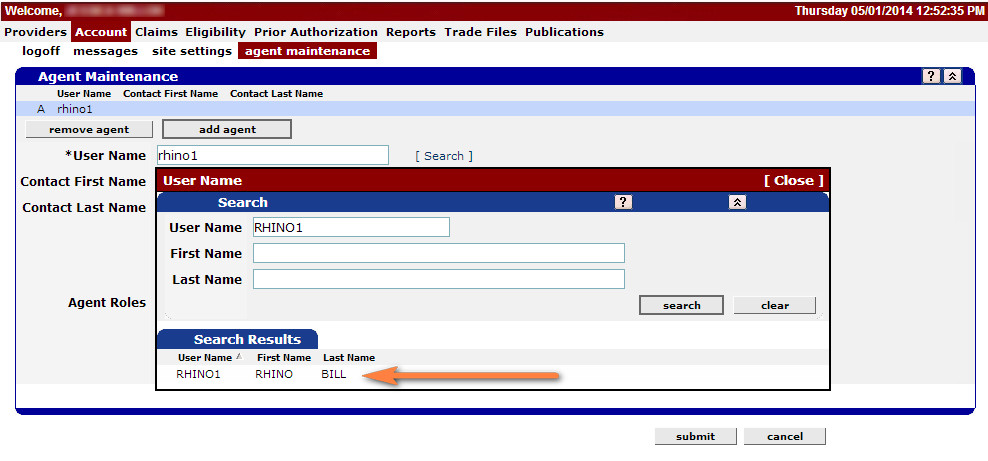
Type in rhino1 in the User Name field and then click search.
-
A pop up window will open. Click on the search results, to select RhinoBill. The next page will load automatically.
-
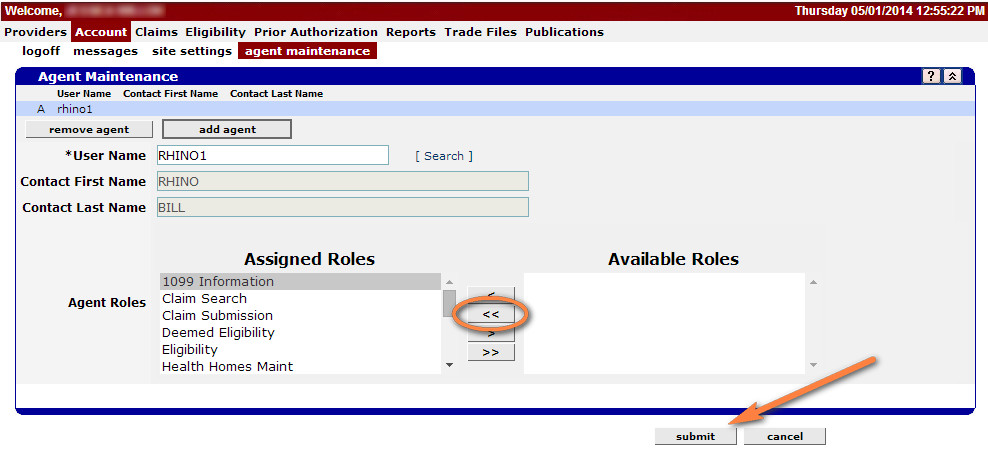
Click on '<<' to assign permissions, then click submit.
-
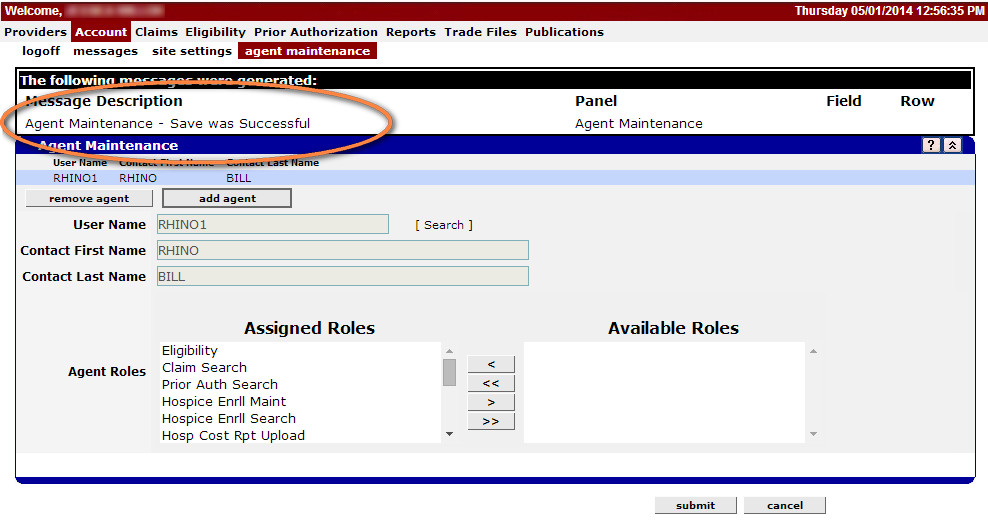
Confirm save by viewing the ‘Save was Successful’ message. You have now saved RhinoBill as your MITS agent. Thank you!
10,000 new users since 2004!
Try it Free for 30 Days
Our mission is to deliver fast and simple claim billing services that make your life as a home health provider easier. Our services will:
- Save you time
- Be easy to use
- Give you confidence that your billing is correct
- Let you manage your claims without paper
- Secure, encrypt, and back up your data
- Be available 24/7 from anywhere with any computer
TOP